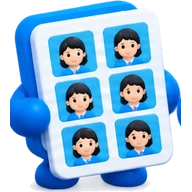
Arrange passport photos on a 4x6 sheet — free, no watermark
Print 6 to 8 passport photos on a single 4x6 inch print instead of paying a studio. Mix different people on one sheet, with safe margins for kiosks and optional cut lines. Free and private.
Runs in your browser — nothing is uploaded
Check it yourself
This tool does its work on your device. Your files and text are not sent to our server or to anyone else.
- On a computer: press F12, open the Network tab and use the tool. No request carries your file or text.
- On any device: at the bottom of the page, wait for “Saved for offline use” (or press “Save for offline use”), turn on airplane mode and use the tool. It keeps working.
What does travel: the page itself, an anonymous visit count without cookies, and the tool’s name when you use it — never what you put in.
Only buttons that say so send a file, and only to the place they name: “Save to Google Drive” saves to your own Drive.
How we handle dataDrop your cropped photos here
Up to 8 photos, for example the whole family. They stay on your device.
8 photo places on this sheet (4 × 2).
Your sheet
Add a photo above and it fills the sheet here. The empty frames show where photos will go.
The sheet is made at 300 dpi and sized exactly in millimetres. Print it at 100% (“actual size”, no “fit to page”). Some photo kiosks zoom in by 2 to 3%, which is why the default edge margin is 3 mm; the 5 cm ruler lets you check.
How to use it
- 1Drop in your cropped passport photos, one for each person.
- 2Keep 4 × 6 in selected, choose the photo size (35 × 45 mm or 2 × 2 in), and set the copies.
- 3Download the JPG and take it to a photo lab or print kiosk, printing at 100% without cropping.
Good to know
- Choose “borderless” or “actual size” at the kiosk so the sheet is not scaled up.
- Keep the 3 mm edge margin on: kiosks often zoom in 2 to 3% and would clip photos placed right at the edge.
- Add the 5 cm ruler once, print a test, and measure the line to see if your printer scaled the sheet.
- Make sure the photo meets your country's rules (size, background, expression) before printing: this tool only lays them out.
Related tools
Frequently asked questions
How many passport photos fit on a 4x6 sheet?
Eight photos of 35 × 45 mm, laid out sideways, or six upright. The tool picks whichever fits more.
Can I put two different people on one 4x6 sheet?
Yes: add each person's photo and choose the copies of each. The default splits the sheet evenly.
Is it really free with no watermark?
Yes. There is no watermark and no sign-up, and your photos are not uploaded anywhere unless you press “Save to Google Drive”.
What do I print it on?
Order a 4x6 inch photo print from a lab, a pharmacy kiosk or an online print shop, or print on glossy photo paper at home at 100%.
Does it check that my photo is accepted?
No. Each country has its own rules for background, head size and expression. This tool only arranges your photos on a sheet.
Can I print on A4 instead?
Yes. Choose A4 or Letter as the paper and the sheet holds many more photos.