Free tools for teachers, exam coordinators and schools
Classroom and exam-day jobs that usually mean a spreadsheet and an hour: seating plans that keep students apart, attendance sheets, random groups, quiz scoring, a countdown for the lesson, and photos and signatures sized for application forms. Everything runs in your browser, so names never leave your device.
21 tools · free · no sign-up · no watermark · your files stay on your device by default
Start here
 Classroom seating chart makerA classroom seating plan: random, in pairs or pods, with students who should be kept apart.Open it
 Exam hall seating plan makerMix classes across exam rooms so nobody sits beside the same class, and print the room maps.Open it
 Attendance registerA printable monthly attendance register for a class or a team, with days off shaded.Open it
Seating and attendance
Plans and registers to print.
- Classroom seating chart makerShuffle your class into a seating chart that keeps chatty pairs apart and puts those who need it at the front.
- Exam hall seating plan makerMix classes across exam rooms so no one sits beside the same class, and print the notice, room maps and attendance sheets.
- Attendance registerPrint a monthly attendance register: your class or group names, a column for every day, days off shaded, totals at the end.
Groups, turns and quick decisions
Fair and fast in the classroom.
 Team picker & group drawSplit people into fair random teams, run a World Cup-style group draw, make random matchups or pick a winner.
 Spin the wheelType names or choices and spin the wheel to pick one at random — fair, with sound, a big-screen mode and remove-the-winner.
 DiceRoll animated dice, flip a coin or pick a random number — fair every time.
 Tally counterCount anything with a tap: a big counter that remembers the count, counts to a number in rounds, and has a tasbih mode (33 · 33 · 34).
Quizzes, games and timing
Scoring, bingo and timers for lessons and events.
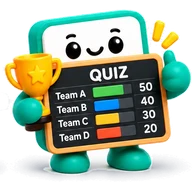 Quiz scorekeeperScore a school, family or club quiz: teams, rounds, an optional joker, a live leaderboard for the big screen.
 Countdown, timer & stopwatchCount down the days to a date (an exam, a wedding, Eid), run a timer with an alarm, or time with a stopwatch — full screen, offline.
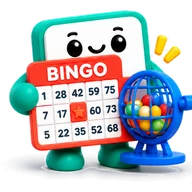 Bingo cards and callerMake printable 75-ball bingo cards and call the balls: automatic calling, a voice, a big-screen board and winning patterns.
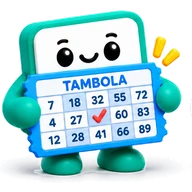 Tambola / Housie tickets and number callerPrint tambola (housie) tickets in strips of six, and call the numbers 1–90 on screen, with voice if you like.
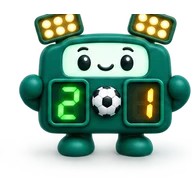 ScoreboardA big-screen scoreboard for two teams: tap to score, periods or sets, a game clock and keyboard keys. Works offline.
Photos and documents for forms
Sized and printed for exams and applications.
 Exam photo & signature makerGet your photo and signature to the exact pixels and KB range an application form asks for, with an optional name and date strip.
 Passport photo sheet makerPut passport or visa photos on a 4x6, 5x7 or A4 sheet at the exact size, ready to print for pennies.
 Image compressorShrink JPG, PNG and WebP photos — by quality, or to an exact size like 100 KB.
 ID card copyPrint the front and back of an ID card (CNIC, Aadhaar, driving licence) on one page at real size, straightened from a phone photo.
 Compress PDFMake a scanned or photo-heavy PDF much smaller — right in your browser.
Sports day and events
Brackets, rotas and tables for the school event.
 Knockout bracket makerSeeded knockout bracket with byes — click winners to advance, then save it as a picture.
 Fair rota makerA fair duty rota for referees, volunteers or shifts — everyone gets their share, with unavailable days respected.
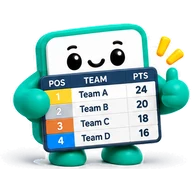 League table makerType match results, get a ranked league table — points, goal difference and all.
 Raffle ticket makerPrint numbered raffle tickets with a tear-off stub: your raffle name, prize, price and date, eight tickets to an A4 page.
See it worked out
- Plan a school sports day, step by stepHouses, relay schedule, helpers' rota and a live house-points board
- The printable sheets you get, before you startPreview the bracket, score sheets, table, schedule, rota and raffle tickets
- An 8-team knockout bracket, worked throughSee a finished 8-team bracket, how seeds are paired and how byes work
Questions
- Is it safe to type my students' names?
- Yes. The tools run in your browser and never send names anywhere. A tool may remember your last list on your own device so you do not have to retype it, and nowhere else.
- Can I print seating plans and registers?
- Yes. They print on A4 or save as a picture or PDF, with your school name if you add it. There is no watermark.
- Will it work on a school computer with no installs?
- Yes. It opens in any modern browser, with no sign-up and nothing to install.
- Can parents or students use the exam photo tool?
- Yes. It resizes a photo and signature to the pixel and kilobyte limits a form asks for, and can add a name and date strip. The exact limits come from the form, so check them there.