Free tools for everyday documents and photos
The small file jobs that come with forms, applications and paperwork: a PDF that is too big to upload, a photo that must be under 50 KB, an ID copy on one page, a signature on a document. These tools work on your device, so your files stay with you by default, and there is no sign-up and no watermark.
24 tools · free · no sign-up · no watermark · your files stay on your device by default
Start here
PDF tools
Merge, split, shrink, sign, tidy and convert.
 Merge PDFCombine several PDFs into one — put them in order and download.
 Split PDFKeep only the pages you need, or cut a PDF into several files.
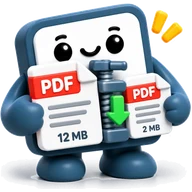 Compress PDFMake a scanned or photo-heavy PDF much smaller — right in your browser.
 Rotate, reorder & delete PDF pagesSee every page, then turn, move, copy or remove pages — and download the new PDF.
 Sign PDFDraw, type or photograph your signature and place it on a PDF — no printing, no sign-up.
 Redact PDFBlack out names, numbers and other private text in a PDF for good, without uploading it anywhere.
 Add watermark to PDFStamp CONFIDENTIAL, DRAFT or your logo across every page of a PDF.
 Add page numbers to PDFNumber the pages of a PDF — choose the style, position and where to start.
 PDF pages per sheetPrint 2, 4, 6, 9 or 16 PDF pages on one sheet to save paper, in colour or black and white.
 Images → PDFTurn JPG, PNG and other photos into one PDF, one image per page.
 PDF → JPGTurn PDF pages into JPG or PNG pictures — all pages or just the ones you pick.
 PDF → ExcelPull tables out of text-based PDFs or CSVs and download a clean spreadsheet.
Photos and ID copies
Size, crop, convert and protect pictures.
 Image compressorShrink JPG, PNG and WebP photos — by quality, or to an exact size like 100 KB.
 Image resizerResize photos to exact pixels, mm or inches — passport size, social posts, or a percentage.
 Crop, rotate & flip photoCrop a photo to a shape (square, 4:3, passport…), turn or flip it, or cut a round profile picture — in your browser.
 Photo privacy: hidden details & blurSee what a photo reveals (where, when, which phone), then save a copy without it and with faces or number plates blurred.
 Image converterConvert pictures between JPG, PNG and WebP — one or many at once.
 HEIC → JPGTurn iPhone HEIC photos into JPG or PNG that open anywhere — many at once.
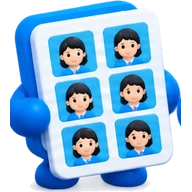 Passport photo sheet makerPut passport or visa photos on a 4x6, 5x7 or A4 sheet at the exact size, ready to print for pennies.
 Exam photo & signature makerGet your photo and signature to the exact pixels and KB range an application form asks for, with an optional name and date strip.
 ID card copyPrint the front and back of an ID card (CNIC, Aadhaar, driving licence) on one page at real size, straightened from a phone photo.
Invoices, cards and codes
Documents you make from scratch.
 Invoice & receipt makerMake a clean invoice, receipt or quote — with your logo, tax and totals — and download a PDF.
 Visiting card makerDesign a business card with a scannable QR code — print-ready PNG, print sheet and contact file.
 QR code makerQR codes for links, Wi-Fi, e-mail or phone — download as PNG or SVG.
See it worked out
Questions
- Are my files uploaded?
- No. By default these tools work on your device: the file is processed in your browser and is not sent to our servers. The only exceptions are buttons that say so, such as “Save to Google Drive”, which sends the file to your own Drive.
- Why can a compressed PDF no longer be searched?
- The compressor rebuilds each page as a compressed picture, which is what makes scans and photo-heavy PDFs so much smaller. Text you could select becomes part of the picture. It is best for scans; a PDF that is mostly text may not get smaller, and the tool tells you.
- Can it reach an exact size such as 200 KB?
- It tries stronger settings until the file fits, but it cannot promise every file will. If it cannot, it says how close it got.
- Do the photo sizes meet my form's rules?
- The presets help, but the form decides what is accepted. Check the size, dimensions and format it asks for, and use the tool's own settings to match them.